Facebook Marketing
Overview
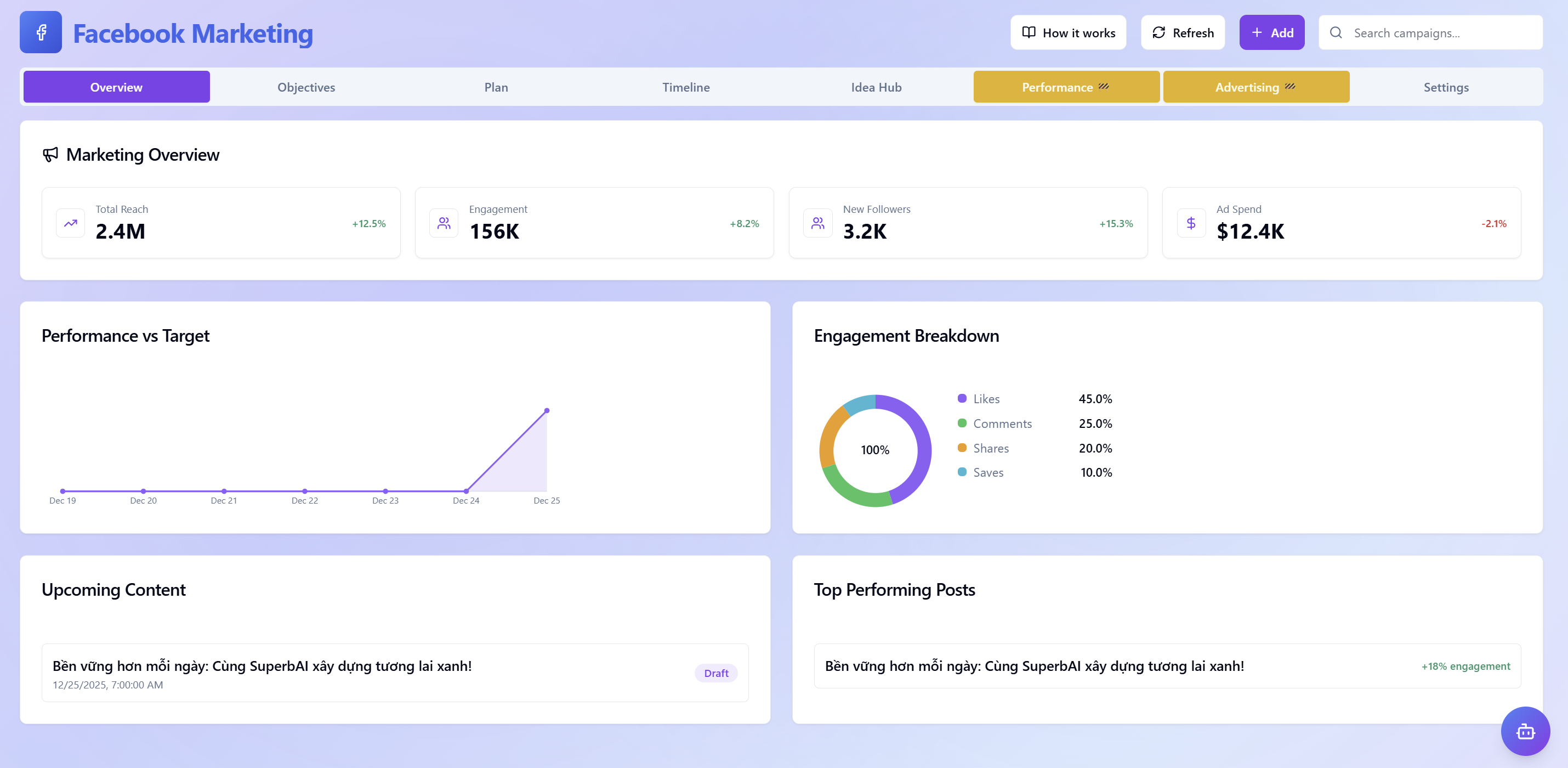
The visual management center providing a comprehensive view from overview to detailed execution of Marketing activities on the Facebook platform. With real-time metrics and in-depth analysis charts, you can easily control progress and optimize your Marketing strategy.
 Overview
- Marketing overview: When accessing, core operational metrics such as Total Reach, Engagement, New Followers, Ad Budget, etc., are displayed immediately in priority positions along with growth trends.
- Performance vs. Goals: Track work progress through line charts, helping you visually compare actual results with set goals at specific time points.
- Detailed interaction analysis: Includes Likes, Comments, Shares, Saves in pie chart format to understand customer behavior and market response.
- In-depth content analysis: Manage the list of Upcoming Content and identify the Most Effective Posts to continuously improve creative quality.
Goals
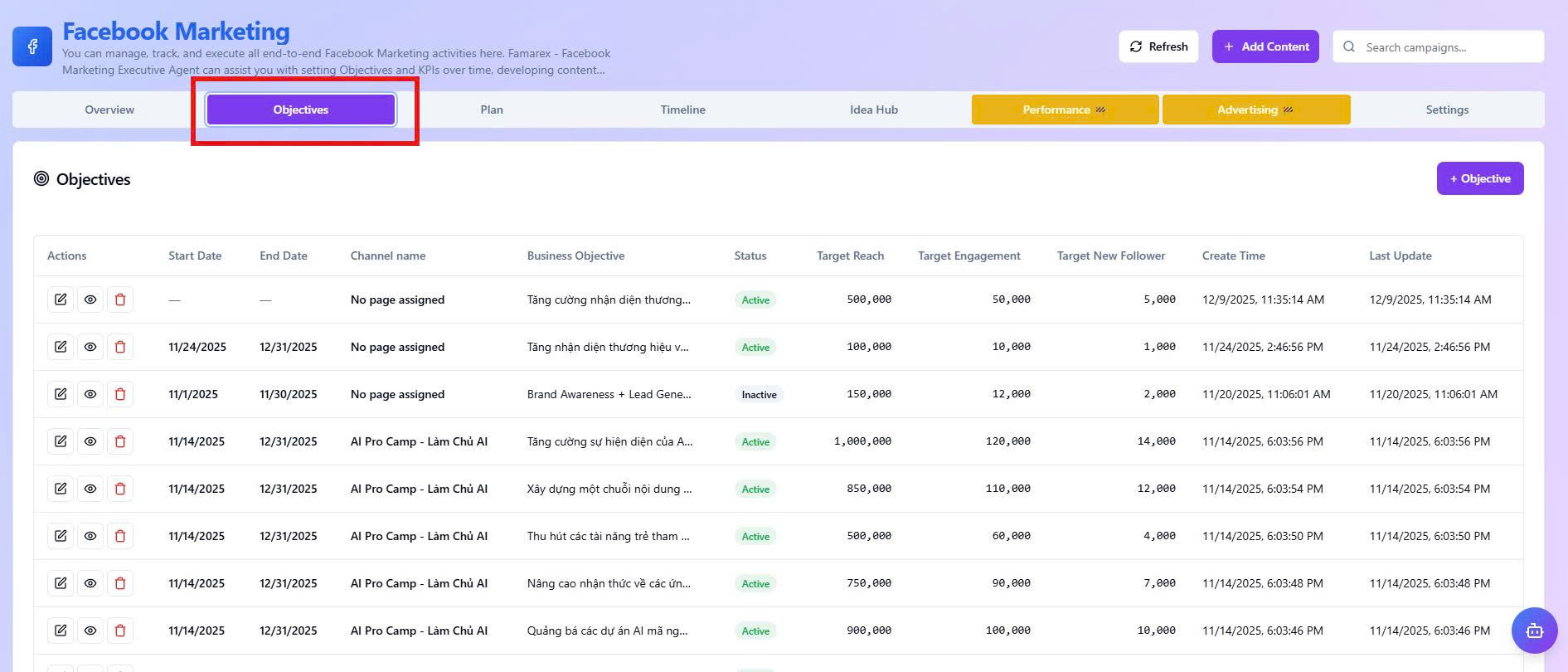
Strategic goal-setting center that lets you turn business expectations into quantitative KPIs for Agents to track and execute accurately.
 Goals
Goals
- Goal setup: Initialize core metrics such as Reach, Engagement, and New Followers for each specific campaign.
- Roadmap management: Track detailed goal lists with start time, end time, and current operational status to ensure campaigns stay on schedule.
- Channel synchronization: Manage goals by channel name and business objective, helping Agents personalize content strategies aligned with business direction.
Click the "Add" button to start setting new goals or use the Campaign Search bar in the top right corner to quickly look up already initialized plans.
Plan
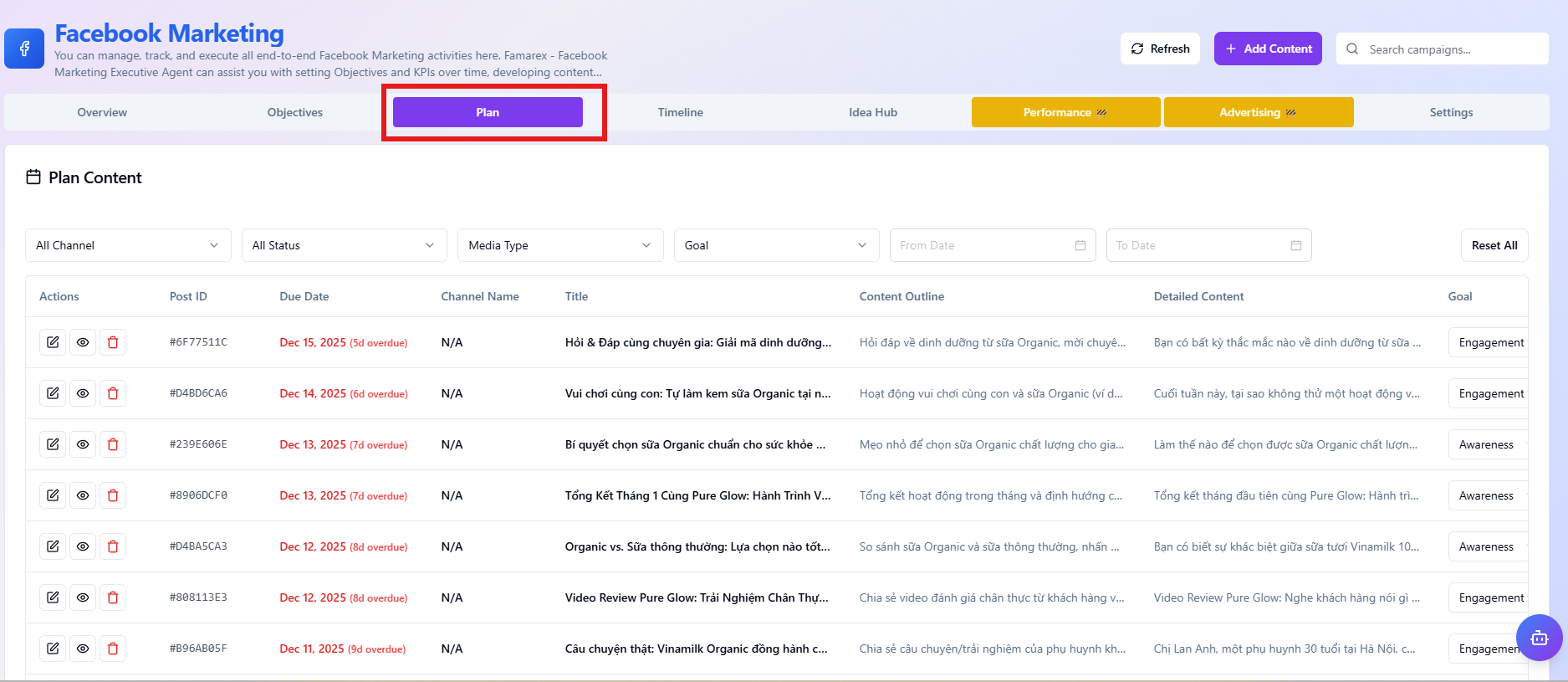
Coordination and detailed content planning center, helping you manage workflows from idea outline to publishing complete content on the Fanpage.
 Plan
Plan
- Multi-task filters: Proactively categorize post lists by Channel, Status, Media Type, or Goal to optimize content management and search.
- Detailed roadmap management: Track all post information through a comprehensive data table, including Content Outline, Detailed Content, Publishing Deadline, etc.
- Quick execution tasks: Click the + Add button to initialize new content or use the Campaign Search bar to quickly retrieve posts by identifier (Post ID) or title.
- Status synchronization: Strictly control work progress by updating the last change time and display status of each post in the system.
Timeline
 Timeline
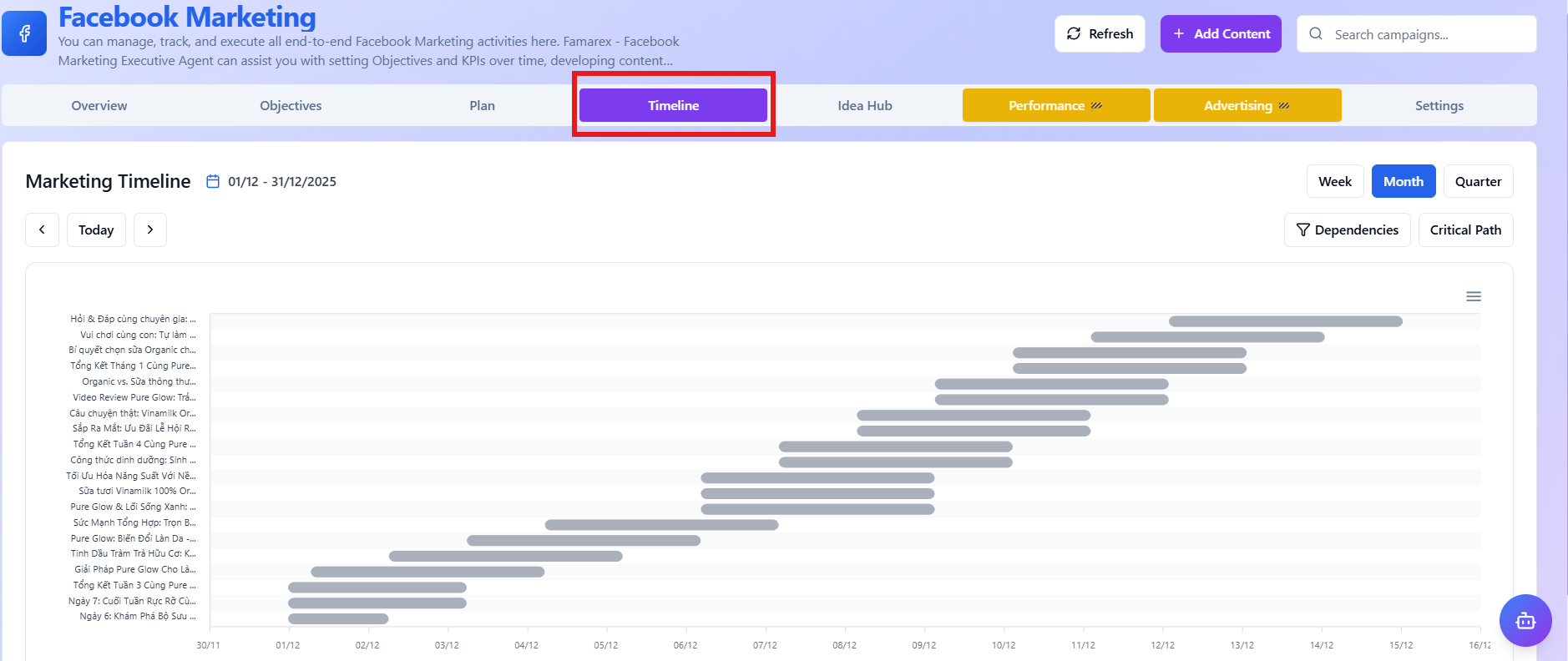
Visual marketing roadmap management center, providing a comprehensive view of campaign deployment schedules on the Facebook platform within a specific time period.
- Visualize the roadmap: Track progress and execution time of marketing activities through timeline charts (Gantt chart), helping teams easily grasp operational pace.
- Diverse display modes: Flexibly change views between Week, Month, or Quarter modes to serve short-term planning or long-term strategy needs.
- Campaign logic management: Use the Dependencies feature to establish dependency relationships between items and Critical Path to identify key tasks that directly affect the completion deadline of the entire plan.
- Quick operations: Quickly initialize new campaigns or content directly on the timeline with the "+ Add" button, update data instantly via the "Refresh" button, or quickly retrieve items through the campaign search bar.
- Flexible time navigation: Easily move between time points using the navigation bar or click the "Today" button to immediately return to the current schedule.