Linkedin Marketing
Overview
Specialized LinkedIn coordination center to optimize brand presence and expand expert network connections scientifically.
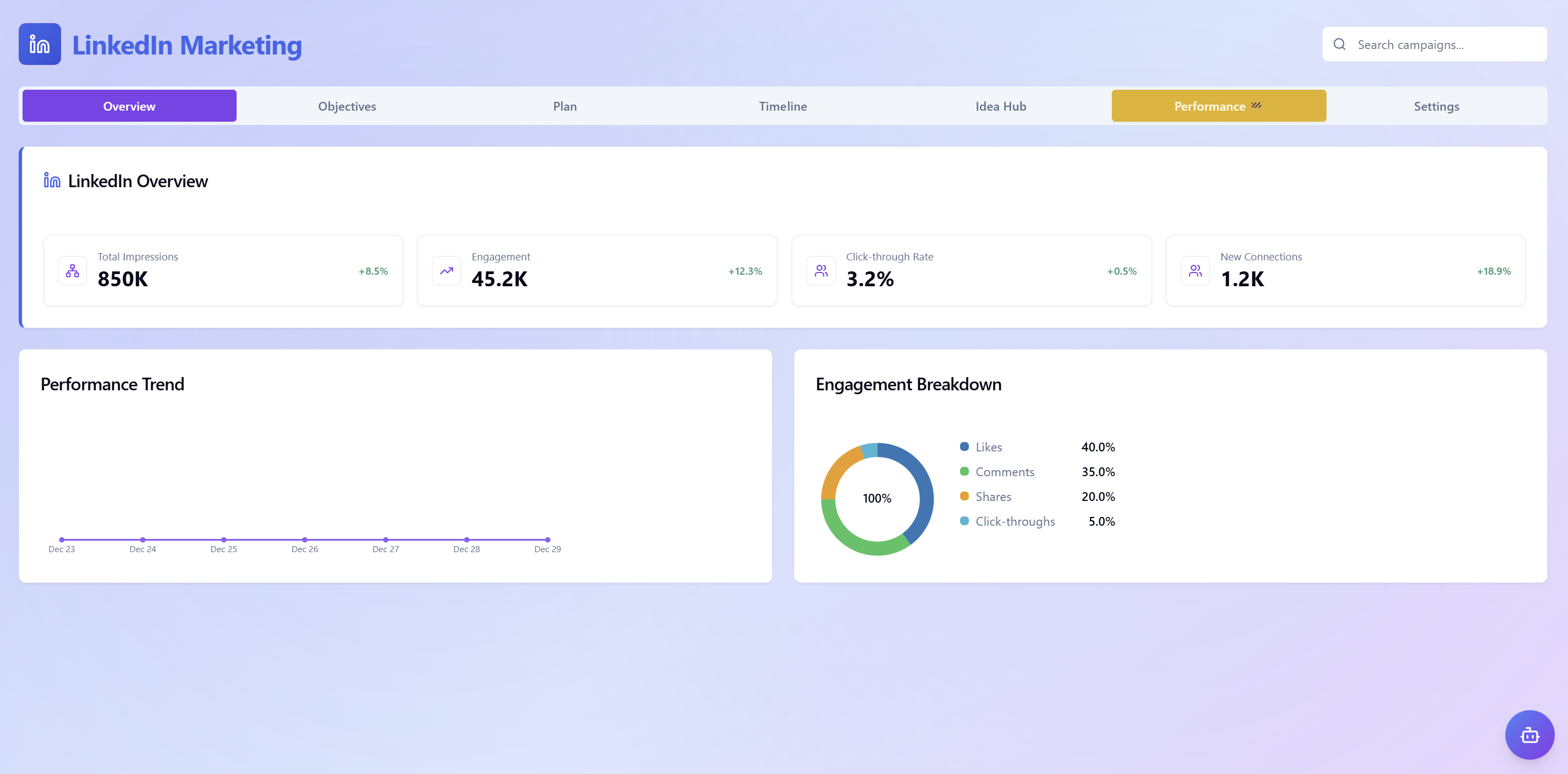 Overview
- LinkedIn overview: Instantly update important professional metrics such as Total Impressions, Click Rate, and New Connections along with growth trends.
- Performance trends: Track performance fluctuations over the timeline, helping you quickly identify spikes or drops in communication campaigns.
- Detailed interaction analysis: Analyze detailed interaction structure including Likes, Comments, Shares, and Clicks through pie charts to assess content quality for professional audiences.
Goals
Center for setting and managing marketing goals and core performance indicators (KPIs), helping you shape a professional brand presence strategy on the LinkedIn platform.
- Set strategic goals: Click the "Add goal" button to initialize new marketing metrics, ensuring all Agent activities align with development direction and core business values.
- Deep KPI management: Provides a centralized interface to manage effectiveness measurement indicators, supporting optimization of B2B connection capabilities and interaction with expert audiences.
- Quick lookup: Use the "Search campaigns" bar in the top right corner to instantly retrieve specific campaigns or goals already set in the system.
Plan
Coordination and management center for specialized LinkedIn content schedules, helping you transform strategic goals into a specific and scientific publishing roadmap.
- Initialize professional content: Click the "Create content" button to start drafting new posts, setting topics and content direction aligned with B2B audiences.
- Editorial calendar management: Track and coordinate posting plans in a centralized manner, ensuring consistent presence frequency and brand consistency on the expert network.
- Fast plan lookup: Use the "Search campaigns" bar in the top right corner to instantly search for posts or content campaigns in the planning stage.
Timeline
Interface displaying marketing schedules, helping you grasp an overview of content roadmaps on LinkedIn.
- Content schedule: Provides display space for users to view and manage publishing plans for LinkedIn posts in chronological order.
- Campaign search: The "Search campaigns" tool bar in the right corner helps quickly retrieve specific marketing activities in the timeline.